
8K Support for Smooth Game and Work
-

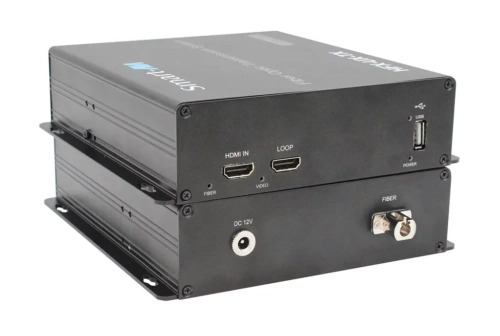 SmartAVI HFX-KM is a Single Head HDMI 2.0 (3840 x 2160), USB 2.0, USB keyboard-mouse, sending signals up to 10 km (6.2 miles) away over a single conventional and inexpensive single fibre cable. This new technology is superior to older HDMI extenders that require a special single fibre shielded cable to go a short distance. NEW Brochure
 -
 SmartAVI HFX-UX is a Single Head HDMI 2.0 (3840 x 2160), USB 2.0, USB keyboard-mouse, sending signals up to 10 km (6.2 miles) away over a single conventional and inexpensive single fiber cable. This new technology is superior to older HDMI extenders that require a special single fibre shielded cable to go a short distance. NEW Brochure
 -

 The AV Access iDock B10:
USB-C KVM Switch Docking Station for 1 Laptop & 1 Desktop, 8K@60Hz Dual Monitors, 100W Charging, High-Speed USB 3.2, 1G Ethernet
Maximum Resolution: Dual 8K@60Hz for desktop PCs via DP/HDMI input, dual 4K@60Hz or single 4K@120Hz for laptops connected via USB-C input.NEW
-

 The AV Access
iDock B23 8K Triple Monitor KVM Switch Docking Station for a Desktop and a Laptop (100W PD), 12-in-1, 8K@60Hz/4K@165Hz/1440P@240Hz designed for A Laptop and a Desktop: Connect one laptop and one desktop, and switch between them with ease using one button. ● Triple Monitor Design: Support triple monitor setups for both PCs — perfect for multitasking. ● Immersive 8K Ultra HD: Support up to 8K@60Hz for an incredible visual experience. ● Ultra High Refresh Rate: Support various high refresh rates for gaming, such as 4K@165Hz, 1440P@240Hz, and 1080P@240Hz. ● 100W Power Delivery: Keep your laptop charged with 100W power delivery via a full-featured USB-C port. ● 12 More Ports: Share peripherals between two PCs with USB-C, USB 3.0, Ethernet, audio, SD card slot, and HDMI/DP video outputs. ● Ethernet for Both PCs: Both PCs share a stable 1G Ethernet connection for uninterrupted internet access. ● Easy Switching Methods: Toggle sources via the front panel button or EXB01 remote controller (Included in the package). ● Automatic PC Wake-up: Wake up your sleeping PCs automatically when you press the switch button.
NEW: Shipping Early May 2026 -
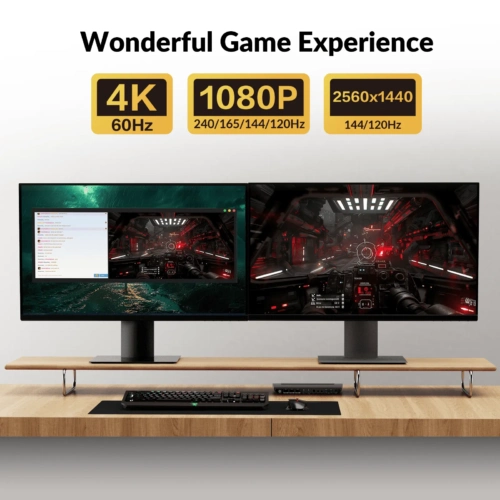
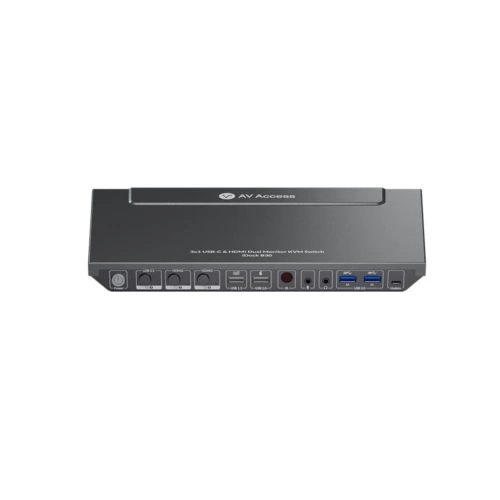 The AV Access iDock B30: KVM Switch for 2 Desktops & 1 Laptop: Seamlessly switch between 2 desktop PCs and 1 laptop via USB-C and HDMI while using dual monitors for efficient multitasking. ● New Dual Monitor Design: Delivers dual 4K@60Hz output for stunning clarity and smooth performance. (See all supported resolutions in Specs) ● 10-in-1 Docking Station: Expand your workspace with multiple ports, including HDMI, USB, Ethernet, and more. ● LAN for Laptop: A LAN port enables your laptop to access a more stable wired network connection. ● 65W Power Delivery: The USB-C connection keeps your laptop charged as long as it’s plugged in. ● Constant Connection: EDID emulation ensures monitors stay connected to your PCs, preventing screen flickering and icon rearrangement when switching devices. ● 3 Ways to Switch: Switch seamlessly in 2-3 seconds via panel buttons, IR remote, or keyboard hotkeys. Connection Diagram Manual
 -
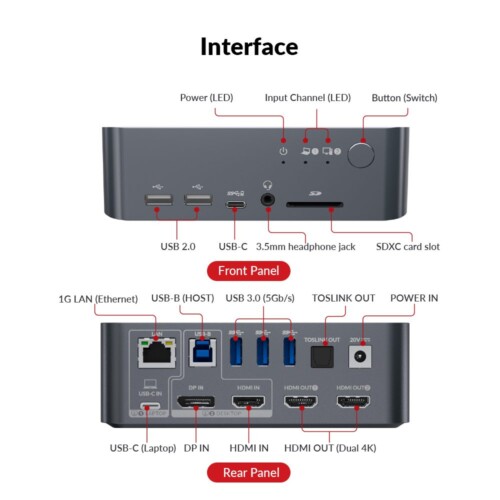
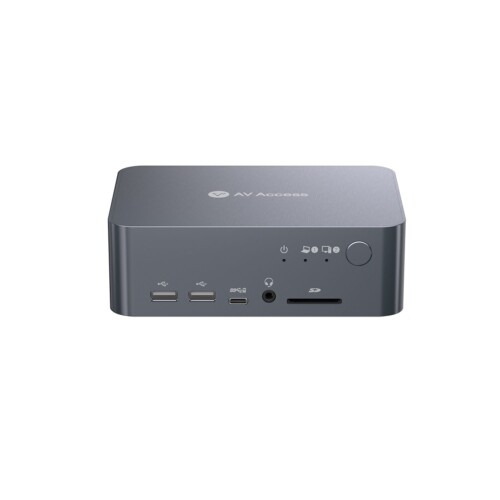 The AV Access iDock C10: ● KVM Switch for a Laptop & a Desktop: Connect to one laptop (USB-C) and one desktop PC (HDMI & DP). ● New Dual Monitor Design: Support dual monitor output up to 4K@60Hz.(See all supported resolutions in Specs) ● 12-in-1 Docking: 12 more ports to empower your workstation. ● LAN for Laptop: a LAN port allows your laptop to connect to more stable wired network. ● Constant Connection: EDID emulation keeps monitors connected to the PCs. No more flickering and icon reshuffling after switching. ● 60W Power Delivery for Laptop: As long as the USB-C is plugged in, it always keep your laptop charged. ● Super Fast Switching: Avg. 2-3 seconds to switch everything between your PC sources. Connection Diagram Troubleshooting Guide Manual
 -
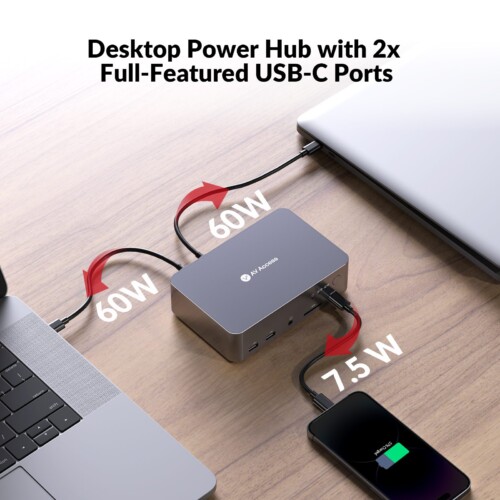
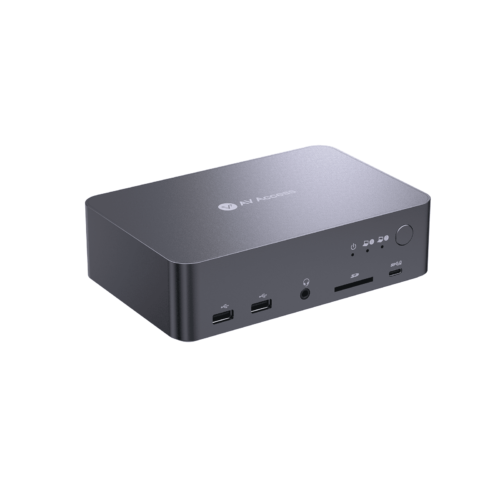 The AV Access iDock C20: Dual-Laptop Docking & Dual Monitors: Connect 2 laptops and enjoy dual 4K@60Hz displays for efficient multitasking (Mac OS doesn’t support extended dual screens). ● 12-in-1 Docking Station: Expand your workspace with multiple ports, including HDMI, USB, Ethernet, SD card slot and more. ● 1G LAN Port: Ensure stable and fast wired network for both laptops, no matter which laptop you switch to. ● Dual Full-Featured USB-C: Each laptop connects with one cable for dual 4K@60Hz videos, 5Gbps data transfer, 60W charging, and shared LAN access-simplifying your setup. ● EDID Emulation: Prevents screen flickering and icon rearrangement when switching devices. ● Gaming-Ready Performance: Supports 2560×1440@144Hz and 1080P@240Hz/165Hz for ultra-smooth, high-performance gaming. ● Super Fast Switching: Avg. 2-3 seconds to switch everything between your PC sources via panel button or wired remote controller (not included). Connection Diagram Manual
 -
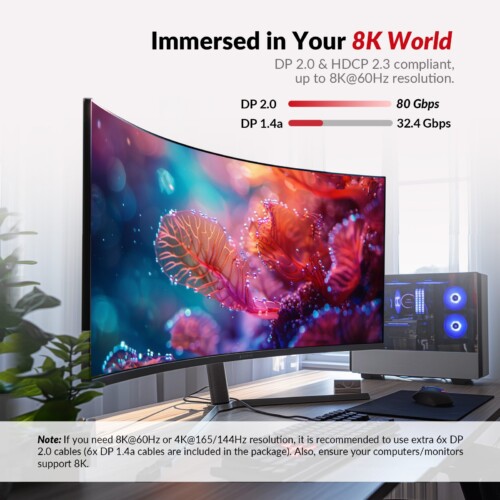
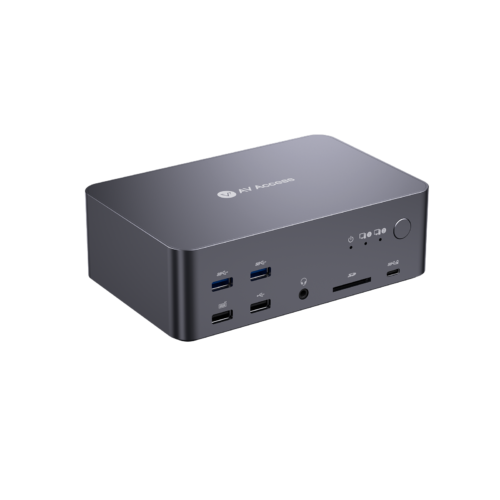 The AV Access iDock D23: Designed for 2 Desktop PCs & 3 DP Monitors: Built with 6x DisplayPort input ports (supports MST, 3 in 1 group) and 3x DisplayPort output ports. Switch easily between your workstation and gaming desktop, and view 3 monitor screens simultaneously. ● 12-in-1 Docking Station: Your two PCs can share abundant peripheral ports like 3x USB 3.0, 1x USB 2.0, 1x USB 1.1 (for keyboard hotkey), 1x USB-C, 1x 1G Ethernet, 1x 3.5mm headset, 1x SD card and 3x DP out. Build a powerful workstation with ease. ● Immersed in 8K Ultra HD: DisplayPort 2.0 & HDCP 2.3 compliant. Supports up to 8K@60Hz, and all HDR formats, like HDR10, HLG, HDR10+ and Dolby Vision. ● Ultra-High Refresh Rate: Supports 4K@165/144Hz, 3440×1440@165/144/120Hz, 2560×1440@165/144/120Hz and 1080P@240/165Hz, etc. Ideal for sports programs, action movies, high-speed racing games, etc. ● Super Fast Switching: With the automatic PC wake-up function, it only takes you 2-3 seconds to switch between your PC sources. Press the front control button, use the wired remote controller (not included) or your keyboard hotkey to switch effortlessly. ● Important Notes: For stable video input/output, it is required to use the included 6x DP 1.4a cables. If you encounter screen flickering while outputting certain video resolutions, like 8K@60Hz and 4K@165/144Hz, it is recommended to replace the cables with certified DP 2.0-compliant ones. All accessories are not sold separately. The product doesn’t support EDID emulation at present. Connection Diagram Manual
 -

 The AV Access iDock M10: ●1 Laptop, 1 Desktop Switching: Connect both your MacBook and desktop. Switch effortlessly between them with one button. ● Dual Monitor Outputs: Support two 4K@60Hz displays for multitasking. ● Plug and Play for Mac: Fully compatible with most MacBook models. No driver is needed. ● 100W Laptop Charging: Keep your MacBook fully powered with fast and stable 100W charging. ● Constant Connection: EDID emulation keeps monitors connected to the PCs. No more desktop reshuffling after switching.
NEW: Ships Mid December
-
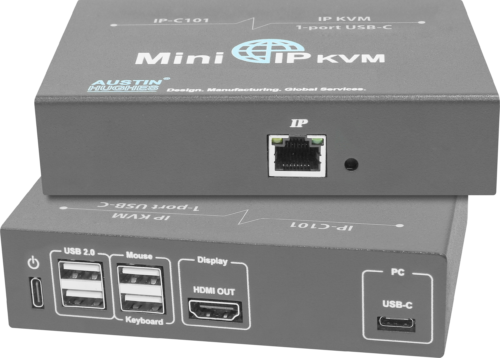 Austin Hughes Mini IP KVM IP-C101 is the ultimate solution for remote server management. With advanced features, you'll have complete control over your servers anytime, anywhere. Its compact size makes it perfect for small spaces, while its user-friendly interface ensures easy setup and operation. Unlike a rackmount KVM which is mounted inside an IT server rack enclosure, Mini IP KVM can be applied in diversified applications. Mini IP KVM is designed for a variety of market and industries - SOHO (Small Office/ Home Office), Transportation (Air, Land and Sea), Broadcasting, Entertainment, Advertising, Manufacturing, Mining, Satellite, Defense, Education, Telecommunication, Finance & Banking, Commercial, etc. MiniIPKVM MiniIPKVM Manual
 -
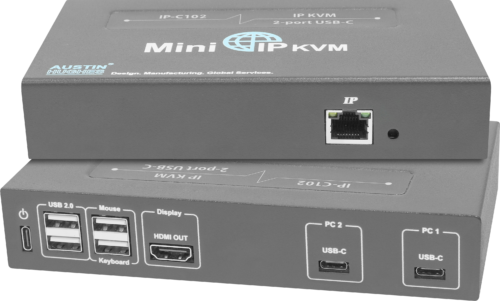 Austin Hughes Mini IP KVM IP-C102 is the ultimate solution for remote server management. With advanced features, you'll have complete control over your servers anytime, anywhere. Its compact size makes it perfect for small spaces, while its user-friendly interface ensures easy setup and operation. Unlike a rackmount KVM which is mounted inside an IT server rack enclosure, Mini IP KVM can be applied in diversified applications. Mini IP KVM is designed for a variety of market and industries - SOHO (Small Office/ Home Office), Transportation (Air, Land and Sea), Broadcasting, Entertainment, Advertising, Manufacturing, Mining, Satellite, Defense, Education, Telecommunication, Finance & Banking, Commercial, etc. MiniIPKVM MiniIPKVM Manual
 -
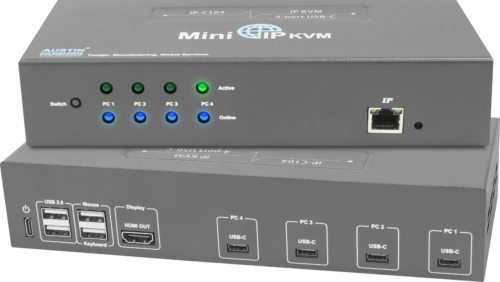 Austin Hughes Mini IP KVM IP-C104 is the ultimate solution for remote server management. With advanced features, you'll have complete control over your servers anytime, anywhere. Its compact size makes it perfect for small spaces, while its user-friendly interface ensures easy setup and operation. Unlike a rackmount KVM which is mounted inside an IT server rack enclosure, Mini IP KVM can be applied in diversified applications. Mini IP KVM is designed for a variety of market and industries - SOHO (Small Office/ Home Office), Transportation (Air, Land and Sea), Broadcasting, Entertainment, Advertising, Manufacturing, Mining, Satellite, Defense, Education, Telecommunication, Finance & Banking, Commercial, etc. MiniIPKVM MiniIPKVM Manual


